Mirror App - Beauty Mirror
- 4.6
- Rating
- 5.00M
- Installs
- Free
- Price
 Analysis by App-foxy
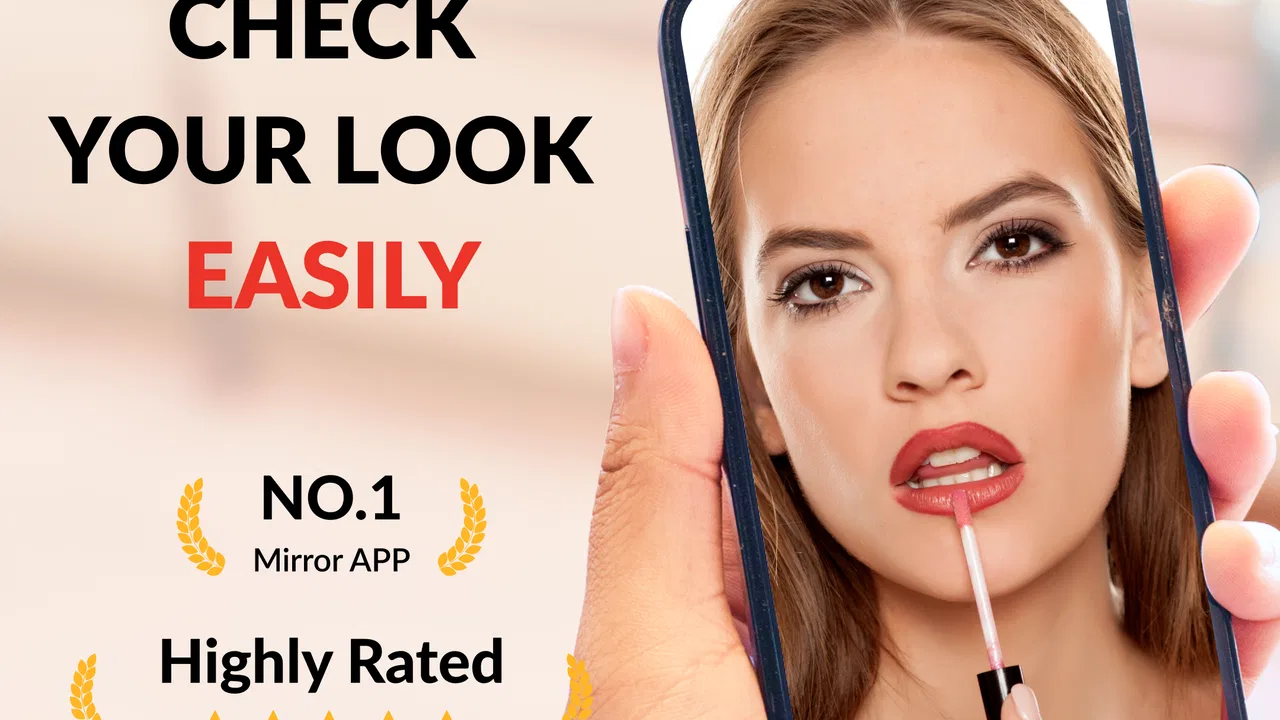
I found Mirror App - Beauty Mirror most useful when I needed a quick, practical reflection and did not want to search for a physical mirror. It turns an Android phone into a beauty-focused mirror for everyday checks such as fixing makeup, checking facial hair, arranging hair, or making sure everything looks presentable before leaving home. My overall impression is simple: it is a focused tool rather than a full beauty suite, and that narrow purpose is also its main strength.
The app belongs to the Beauty category and is free to install, with optional in-app purchases ranging from $0.99 to $9.99 per item. It is suitable for Everyone, runs on Android 7.0 or later, and the current version is 1.02.38.0210. The developer is Dairy App & Notes & Audio Editor & Voice Recorder. With an average rating of 4.5 from around 25 thousand ratings and over 5 million installs, it has clearly attracted a large audience, although popularity alone does not tell you whether its presentation suits your particular phone or routine.
How clearly the mirror works in daily use
The first thing I appreciated was how quickly the app communicates its purpose. This is not trying to be a social camera, a photo editor, or a virtual makeover studio. The central idea is to let the phone screen act as a live mirror, with tools aimed at grooming and makeup. That makes the learning curve short. I could open it with a specific task in mind instead of working through a complicated set of creative controls.
You May Also Like

 Pandora - Music & Podcasts
Pandora’s Music Is Easy to Start, but Harder to Recover
Pandora’s strength is its low-effort path from a seed to a station. Its weak spot is how much confidence it asks you to place in connection, setup, and quiet recovery.

 8 Ball Pool
 Is Built on Rivalries, Rematches, and Routine
A close look at the rivalries, rematches, shared routines, and unanswered safety questions that turn a quick pool match into a persistent mobile community.

 Samsung Music
’s Quiet Strength Is Playing What You Already Own
Its reach comes less from spectacle than from dependable access to a personal library. That simplicity is both the app’s strongest retention engine and its ceiling.

 AccuWeather: Weather Radar
AccuWeather Review: A Quick, Clear Forecast for Everyday Decisions
For everyday plans, the best forecast is the one you can understand quickly. AccuWeather makes rain timing, radar, and local conditions easy to act on, with a few trade-offs.

 Hill Climb Racing
Why Hill Climb Racing Still Turns Crashes Into One More Run
A tiny car, a bumpy hill and one more upgrade: Hill Climb Racing keeps resurfacing because its simple chaos makes every near-miss feel personal.

 AliExpress - Shopping App
AliExpress Makes Global Shopping Feel Personal, but Shoppers Bear the Risk
AliExpress turns a global marketplace into a pocket-sized discovery engine. Its reach is useful, its shopping loop compelling, and its trade-offs easy to miss.
More From Our News Desk
View All News


That simplicity matters for readability. A mirror app is often used while standing, walking between rooms, or holding a phone at an awkward angle. Large, obvious controls are more useful in that situation than densely packed menus. In my experience, the practical workflow is to open the app, position the phone, adjust the view if needed, and make the check. The less time spent hunting through options, the better.
I also see a benefit for people who find traditional beauty apps visually overwhelming. Many camera applications put filters, stickers, editing tools, and sharing actions around the preview. Here, the beauty-mirror concept keeps attention on the live image. That can make the interface easier to understand for someone who wants one job completed without learning a broader photography system.
There is an important distinction, though. A phone screen is not automatically as comfortable to read or inspect as a physical mirror. The useful viewing area depends on the handset, brightness, reflections, and how far away the device is held. Someone with reduced vision may need to enlarge the phone’s system text or increase display contrast, but those adjustments belong to Android rather than being a guarantee from the app itself. I would test the interface on the actual phone before relying on it for detailed cosmetic work.
Navigation is most effective when I treat the app as a quick utility rather than a place to browse. If I only need to check lipstick edges or see whether my hair is sitting evenly, I can get in and out without building a routine around it. That directness is more valuable than a long feature list for users who want a digital replacement for a compact mirror.
Useful workflows beyond a quick glance
One less obvious use is preparing in places where a wall mirror is unavailable or inconvenient. I can keep the phone close while getting ready in a shared bathroom, at a desk, in a changing area, or during a short break at work. The app is especially practical when I need to check one small detail rather than inspect my entire outfit. A phone mirror is not a perfect substitute for a large reflective surface, but it is often more available.
For makeup, I would use it as a checking tool rather than as an authority on color. Screen brightness and the surrounding light can alter how shades appear. A foundation or lipstick that looks balanced on the display may look different under daylight or indoor lighting. My better workflow is to use the app for placement and symmetry, then confirm the final color in the light where I will actually spend time.
The same principle applies to shaving and facial-hair checks. The close view can help me notice an overlooked area, but holding a phone close to the face while using a razor creates an obvious safety trade-off. I would position the device first, memorize the area to inspect, and move the phone away before shaving. The app can support the visual check; it should not encourage anyone to handle a sharp tool while concentrating on a screen.
Another practical habit is to clean the phone’s front-facing camera area before opening the app. A smudge can make the image look soft and may be mistaken for poor lighting or weak camera quality. This is a tiny step, but it makes a noticeable difference in a tool whose entire value depends on a clear live view.
Motor and sensory considerations
For users with limited hand strength or reduced fine-motor control, the app may be easier than carrying and positioning a separate compact mirror, because the phone is already familiar and can be supported against a stable surface. However, that advantage depends on the handset. A larger or heavier phone can be tiring to hold at face level, and repeated tapping may be uncomfortable for someone with hand pain or tremors.
I would use a stable resting place whenever possible. Placing the phone on a shelf or leaning it safely against an object reduces the need to hold it continuously and leaves both hands available for grooming. The trade-off is that the viewing angle becomes less flexible, so the user may need to move their head or body instead. A phone stand can improve this workflow, but it is an accessory choice, not part of the app.
People who are sensitive to bright screens should be cautious with high brightness, particularly in dim rooms. A bright display may make the mirror easier to see, but it can also cause discomfort or create a harsh impression of the face. I prefer matching the screen brightness to the room first, then raising it only enough to see detail. This also gives a more realistic sense of how makeup or skin texture appears.
For users with hearing loss, the core mirror task is naturally less dependent on audio than many other mobile tools. The main information is visual, so a person does not need to hear instructions to inspect their reflection. That said, I would not assume every alert or interaction is communicated visually in the same way on every device. The safest approach is to confirm that the essential controls are understandable through the screen before making it part of a regular routine.
Users with low vision may benefit from the familiar Android display tools available on their phone, including magnification or larger system text where supported. Yet magnifying the interface can also reduce how much of the live reflection is visible at once. This creates a real trade-off: more readable controls may mean less room for the face preview. For detailed eyeliner or brow work, a larger physical mirror with good lighting may remain the better choice.
Color perception is another consideration. A digital mirror can show the face clearly while still giving an imperfect impression of shade. People who depend on accurate color matching should check cosmetics in natural or task-appropriate light as well. I would trust the app more for position, coverage boundaries, stray hairs, and general presentation than for deciding whether two colors match exactly.
Where the app fits different situations
The strongest situation for this app is a quick personal check when a normal mirror is missing. Imagine arriving at a café after a windy commute and noticing that your hair or makeup may have shifted. A front-facing camera tool can help you inspect the problem in a few moments. If the phone is already in your hand, no extra object is needed, and the task stays private rather than requiring a public restroom search.
It can also help people who share a home and do not want to occupy the bathroom mirror for a small task. I can check a detail at a desk or in a bedroom, then leave the main mirror available to someone else. This is a modest use case, but it is exactly where a focused utility earns its place: not by replacing every mirror, but by removing small points of friction.
Travel is another reasonable scenario. A physical compact mirror is light and reliable, but it is also one more item to pack and clean. A phone-based alternative is convenient when luggage space is limited. The downside is that the phone needs enough battery and must be kept clean, while a normal mirror works without software, charging, or an operating system.
For people who prefer privacy, the app can be useful because the reflection is viewed on a personal screen rather than a shared mirror. I would still avoid using it in a way that distracts from surroundings, especially near roads, stairs, water, or other hazards. A mirror utility is low risk when used in a calm place; the same screen can become a distraction in a busy environment.
The app is less suitable for professional makeup work, hair styling that requires a broad view, or situations where both hands must remain free and the phone cannot be safely supported. A large illuminated mirror gives a wider perspective and usually makes posture easier. Someone who routinely does detailed beauty work may find the phone mirror useful as a backup, but not as their main setup.
How it compares with ordinary alternatives
Compared with a standard wall mirror, the phone has portability and availability on its side. I can use it almost anywhere, and the live camera view may be easier to position for a close inspection. The wall mirror wins for seeing the whole face, hair, clothing, and body alignment at once. It also avoids battery concerns and does not require me to keep a device in my hand.
Compared with a compact mirror, the app removes the need to carry a separate reflective item, but the compact mirror is faster in some circumstances. Opening an app, waiting for the camera view, and adjusting the phone can be more effort than unfolding a small mirror. The digital option becomes more appealing when I already have the phone out or need a particular angle that a compact mirror cannot provide.
Compared with a general camera app, this product is more purpose-built. A regular camera may offer more controls, but those controls can distract from simply checking a reflection. The beauty orientation makes more sense for grooming than a photo application designed around capturing and editing images. On the other hand, users who want to save portraits, apply creative effects, or compare before-and-after photos may be better served by a dedicated camera or beauty editor.
The free entry point is helpful for trying the basic experience without committing money immediately. Optional purchases between $0.99 and $9.99 per item mean that some users may encounter paid extras during use. I would decide based on whether the basic mirror already solves the problem, rather than assuming every available enhancement is necessary. For a simple reflection, paying is difficult to justify unless a particular extra genuinely improves a repeated workflow.
Remaining barriers and points of friction
The biggest barrier is the physical nature of the phone itself. A mirror can be mounted at eye level; a phone usually has to be held, leaned, or placed somewhere. That affects users with limited reach, balance concerns, fatigue, or difficulty maintaining a steady grip. A stable setup can help, but it requires planning and may not be available in every location.
Lighting also remains outside the app’s control. A digital mirror cannot create a truly neutral environment simply by showing the camera feed. Shadows, backlighting, glare on the display, and a dirty lens can all reduce usefulness. I get the best results when I face a soft, even light source and avoid standing with a bright window directly behind me.
There is a social barrier too. Holding a phone close to the face can look like photography in public, even when the user is only checking their appearance. That may make some people uncomfortable or invite unwanted attention. A small physical mirror is more immediately recognizable, while the app can be discreet in one setting and conspicuous in another.
Device differences may affect comfort, image quality, screen size, and responsiveness. The app supports Android 7.0 and later, but that broad compatibility does not make every phone identical. Someone using an older handset may experience a less comfortable display or weaker front camera than someone with newer hardware. I would judge the result on the phone I actually plan to use, especially if clear detail is important.
The app also cannot solve every accessibility need through its basic concept. A person who cannot easily see the screen, hold the device, distinguish facial detail, or work safely around a mirror-like display may need a physical mirror with adjustable lighting, a mounted camera arrangement, or help from another person. Choosing a different tool is not a failure of the app; it is a sensible response to a different task.
My inclusive verdict
After using it as a focused beauty utility, I see Mirror App - Beauty Mirror as a convenient supplement rather than a universal replacement for a real mirror. It is strongest for quick checks, travel, shared homes, and moments when portability matters more than a wide view. The free starting point makes it easy to test, and its Everyone rating makes it broadly approachable for everyday use.
I would recommend it to someone who wants a straightforward phone-based reflection for makeup touch-ups, shaving preparation, hair checks, or general grooming. I would especially suggest trying a supported setup first: clean the camera area, choose even lighting, lower or raise screen brightness for comfort, and rest the phone if holding it is tiring. Those small choices often matter as much as the software.
I would steer users toward a conventional mirror when they need hands-free use, full-body visibility, dependable color judgment, or long grooming sessions. People with visual, motor, or sensory needs should also test whether the screen size, brightness, controls, and phone weight fit their routine instead of relying on the app’s category label alone.
Overall, this is a useful little tool because it understands a specific problem and addresses it without demanding a large learning investment. Its accessibility is situational: the phone can be portable and familiar, yet it can also introduce weight, glare, small viewing space, and positioning challenges. The best reason to install it is convenience, not perfection. For occasional personal checks, I think it earns a place on the phone; for detailed or accessibility-critical grooming, I would pair it with a physical setup that offers more stability and control.
FAQs for Mirror App - Beauty Mirror
01What is the Mirror App - Beauty Mirror?
The Mirror App - Beauty Mirror is a mobile application designed to turn your smartphone into a virtual mirror. It utilizes your device's front-facing camera to provide a clear reflection, making it convenient for on-the-go touch-ups or quick checks. Its intuitive interface and additional features, like zoom and light adjustments, enhance the user experience.
02Does the Mirror App - Beauty Mirror have any additional features?
Yes, the Mirror App - Beauty Mirror includes several useful features beyond basic mirroring. These features often include zoom functionality, brightness adjustment, and even freezing the image to examine your reflection more closely. Some versions may also offer beauty filters to provide a more flattering reflection.
03Is the Mirror App - Beauty Mirror free to use?
The basic version of the Mirror App - Beauty Mirror is typically free to download and use. However, there may be in-app purchases or ads. These purchases might unlock additional features or remove ads for a more seamless experience. It’s advisable to check the app store for specific pricing details and options.
04How user-friendly is the Mirror App - Beauty Mirror?
The Mirror App - Beauty Mirror is designed to be extremely user-friendly. Its interface is straightforward, allowing users to easily access mirror features with minimal navigation. Most users find the app intuitive, making it accessible even to those who are not tech-savvy. The simple layout ensures quick and efficient use.
05What devices are compatible with the Mirror App - Beauty Mirror?
The Mirror App - Beauty Mirror is available for both Android and iOS devices. It requires a device with a front-facing camera to function as intended. Most modern smartphones and tablets should be compatible, but it’s important to check the app's specific requirements in the app store to ensure compatibility with your device.
Pros
- Real-time reflection with no lag.
- Simple
- user-friendly interface.
- Zoom feature for detailed view.
- Adjustable brightness settings.
- No intrusive ads for distraction-free use.
Cons
- Limited to front camera only.
- No photo capturing option.
- Requires good lighting for clarity.
- No additional beauty filters.
- Cannot record video reflections.

Mirror App - Beauty Mirror
Gallery